AllianceHCM MyPay
- 4.0
- Rating
- 500.00K
- Installs
- Free
- Price

 Analysis by App-foxy
Managing work information from a phone sounds simple until you need a payroll detail at an inconvenient moment. That is the space AllianceHCM MyPay tries to fill: it is a business app built as an employee portal for payroll and human-resources management. I found its appeal less in novelty and more in convenience. When an employer already uses Alliance Payroll Services, LLC, having a mobile place to reach work-related information can remove several small interruptions from the week.
The important qualification is that this is not a universal payroll app for anyone to use independently. Its usefulness depends on an organization using the AllianceHCM system and giving employees access. If that describes your workplace, the app can become a practical shortcut. If you are looking for a personal budgeting tool, an employer-independent pay tracker, or a complete HR platform for running a company, this is the wrong category of product.
How AllianceHCM MyPay holds up beyond the first week
After the first week, I’d judge AllianceHCM MyPay by whether it still makes an occasional work-related check easier, rather than by how often I open it. A useful next step is to notice which questions the portal answers quickly and which still need a conversation with payroll or HR; that distinction helps set realistic expectations and points to what I’d watch as the app continues to evolve.
You May Also Like

 Blood Strike: 2.5 Anniversary
Blood Strike’s Loadouts Turn Every Drop Into a Tactical Gamble
A close look at Blood Strike’s custom loadouts: how fast access to signature weapons reshapes its battle royale rhythm, rewards preparation, and narrows the gap between fights.

 Pandora - Music & Podcasts
Pandora’s Music Is Easy to Start, but Harder to Recover
Pandora’s strength is its low-effort path from a seed to a station. Its weak spot is how much confidence it asks you to place in connection, setup, and quiet recovery.

 8 Ball Pool
8 Ball Pool Is Built on Rivalries, Rematches, and Routine
A close look at the rivalries, rematches, shared routines, and unanswered safety questions that turn a quick pool match into a persistent mobile community.

 Samsung Music
Samsung Music’s Quiet Strength Is Playing What You Already Own
Its reach comes less from spectacle than from dependable access to a personal library. That simplicity is both the app’s strongest retention engine and its ceiling.

 AccuWeather: Weather Radar
AccuWeather Review: A Quick, Clear Forecast for Everyday Decisions
For everyday plans, the best forecast is the one you can understand quickly. AccuWeather makes rain timing, radar, and local conditions easy to act on, with a few trade-offs.

 Hill Climb Racing
Why Hill Climb Racing Still Turns Crashes Into One More Run
A tiny car, a bumpy hill and one more upgrade: Hill Climb Racing keeps resurfacing because its simple chaos makes every near-miss feel personal.
More From Our News Desk



The first-week appeal is convenience, not entertainment
My first impression of AllianceHCM MyPay is that it is designed around a very specific moment: an employee wants to check something connected to work without opening a desktop browser or contacting payroll. That focus is a strength. A narrow employee portal can be easier to understand than a broad business suite filled with tools most staff members never touch.
The app belongs to the Business category, is free to install, and carries an Everyone age rating. It was released on January 15, 2018, so it is not a brand-new experiment trying to prove that every workplace task needs a mobile interface. Its current version is 3.4.59, and it runs on Android 7.0 or later. Those details matter mainly because employees often use older personal phones for work access; compatibility with an established operating-system baseline is more useful here than flashy presentation.
During the first week, the main question is not whether the interface is exciting. It is whether I can sign in, find the information my employer makes available, and leave without wasting time. For that kind of task, a compact portal has an advantage over searching through email, saving screenshots, or asking a manager to resend a document. The app earns its place quickly when it turns a recurring question into a short routine.
A realistic example is a Friday afternoon when I am away from my desk and want to review a payroll detail before planning the weekend. With a working account, a mobile portal is more convenient than waiting until Monday or trying to remember where an earlier message was stored. The same applies when I need to check a work-related record while completing a form, comparing a recent payment with my bank activity, or responding to a question from a household member.
That convenience should not be confused with independence. The employer controls the underlying employee experience, so the app cannot make unavailable information appear. This is one of the first practical questions a new user should answer: does my workplace actually use AllianceHCM, and has my account been activated? Installing the app before confirming that can create an unnecessary dead end.
What makes the first setup feel easier
I recommend treating setup as an access check rather than a quick download. Keep the employer-provided login instructions nearby, use the same identity details associated with workplace records, and avoid creating a second personal account unless the organization specifically tells you to do so. Employee portals are particularly unforgiving when a user mixes personal contact details with employer records.
Another useful habit is to test access when you are not under pressure. Signing in for the first time on the morning you need a payroll document is poor timing. A short trial run lets you discover whether your credentials work, whether the account is active, and whether the information you expect is actually presented through the mobile experience. This is a small step, but it prevents the app from being blamed for an account or employer-configuration problem.
The app has attracted around a 4.0 average from roughly 1.1 thousand ratings, with more than 380 written reviews, and it has passed the half-million-install mark. I read those figures as signs of a real employee audience rather than proof that every workplace will offer the same experience. In a business portal, the quality of the account setup and the employer’s configuration can matter as much as the application shell itself.
Month-to-month value comes from repeated small checks
After the initial curiosity fades, MyPay has to justify staying on the phone. In my view, it does that only when I use it as a recurring reference point rather than as an app I open randomly. Payroll and HR information is naturally periodic. I might not need it every day, but I may need it whenever a payment arrives, a work detail changes, or I have to verify something connected to employment.
This is a different kind of value from a productivity app that demands daily planning. The portal can remain useful even if I open it only occasionally, provided those occasional visits save me time. That makes it a good example of a low-frequency utility: not exciting enough to become a habit through novelty, but valuable when a specific need appears.
One of the less obvious benefits is reducing dependence on personal record-keeping. Employees often keep payroll documents in email threads, download files to inconsistent folders, or take screenshots that become difficult to identify later. A dedicated employer portal gives me a clearer starting point when I need to revisit a work record. I still prefer keeping important documents in an organized personal archive, but the app can serve as the first place I look.
A second useful workflow is checking information before asking payroll or HR for help. I can first review what is already available, note the exact detail that seems unclear, and then contact the right person with a focused question. That does not replace human support, but it can make the conversation faster and reduce avoidable back-and-forth. The trade-off is that this only works when the employer keeps its records current and exposes the relevant material through the portal.
A third insight is that the app is more valuable for employees with changing schedules, multiple work locations, or limited desk access than for someone who spends every workday beside a company computer. A desktop portal may be perfectly adequate for office staff. The mobile version earns its keep when access needs to happen away from that normal workstation.
Where it fits beside usual payroll alternatives
The usual alternative is a browser-based employee portal. A browser can be more flexible, especially on a company computer, and it may feel better for reviewing longer documents or handling a task that needs a larger screen. MyPay’s advantage is the lower friction of having a dedicated entry point on a phone. I do not have to remember which workplace page to visit or search through saved bookmarks.
Email is another common substitute, but it is a poor long-term filing system for sensitive work information. Messages can be buried, forwarded into personal accounts, or separated from the context that explains them. A portal is more structured, although its usefulness still depends on what the employer publishes and how clearly the records are organized.
A general finance app is not a direct replacement. Budgeting tools may help me understand spending or track deposits, but they do not replace an employer’s HR and payroll records. Conversely, a full HR suite intended for managers may offer more administrative depth than an employee needs. MyPay makes the most sense when the goal is straightforward employee access rather than payroll administration, recruiting, scheduling, or business analytics.
The maintenance burden is modest, but access discipline matters
The app itself does not demand the kind of daily maintenance associated with task managers or social networks. I do not need to populate it with content or build a complicated personal system around it. The main maintenance burden is practical: keep the app updated, protect the phone, remember the correct workplace credentials, and check that the account remains connected to the current employer.
That last point is easy to overlook. Employees change jobs, phone numbers, devices, and sometimes payroll arrangements. A portal that worked smoothly in one employment context may not remain useful after a move to another organization. I would not keep treating it as a personal archive after leaving an employer. Instead, I would save any records I am entitled to retain through the proper workplace process and remove access from a device that other people use.
There is also a maintenance decision around notifications and attention. A payroll portal does not need the same alert priority as messaging or navigation. If the app offers notification controls in the account experience, I would keep only the alerts that help me act. If it does not provide the level of control I prefer, I would manage its phone-level notifications so that a low-frequency utility does not become background noise.
Security habits matter more than clever organization. I would avoid using a shared device for an employee account, avoid leaving the session open in a public setting, and use the phone’s normal lock protection. I would also be cautious about copying sensitive details into unrelated notes or messages simply to make them easier to find. The convenience of mobile access should not encourage careless duplication of workplace information.
The developer, Alliance Payroll Services, LLC, has kept the product active across several years of Android use, and the current release indicates ongoing maintenance rather than a forgotten upload. That does not guarantee a perfect experience on every handset, but it is reassuring for a utility whose main promise is dependable access over time. For this type of app, stability and account continuity are more important than frequent visual reinvention.
Sources of fatigue after the novelty disappears
The biggest source of frustration is dependency on the employer. When a record is missing, delayed, or presented in an unexpected way, I may not be able to solve the problem inside the app. The portal can show what the organization makes available, but it cannot replace payroll staff, correct an employer-side configuration, or answer a question that needs human interpretation.
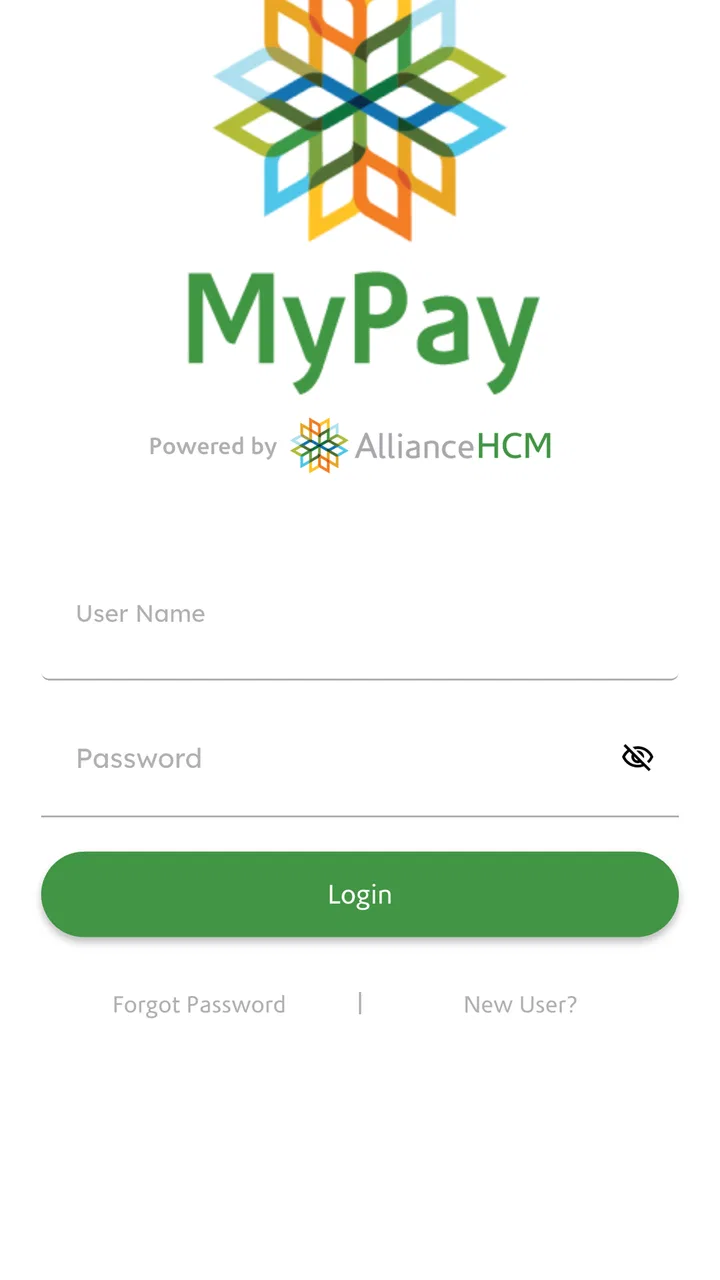
Login friction is another potential weakness. Employee systems often involve credentials that users rarely type, and a forgotten password can turn a supposedly quick check into a support task. I would store the login details in a secure password manager rather than relying on memory or keeping them in an unsecured note. That advice is especially important for an app people may open only once or twice a month.
Mobile screens also have natural limits. A phone is convenient for checking a focused item, but it is not always the best place to study a long document, compare several records, or complete a complicated administrative process. When I need careful review, I would switch to the employer’s browser-based option if one is available. The mobile app should be judged as an access tool, not forced to behave like a full desktop workstation.
Infrequent use can create its own fatigue. If I open the app only when something seems wrong, I may associate it with uncertainty rather than convenience. The solution is not to manufacture daily usage. Instead, I would use it at sensible checkpoints, such as after a payroll event or when preparing paperwork, and keep a simple personal filing routine for documents that matter later.
There is also a clear reason some readers should skip it. If your employer does not use AllianceHCM, the app is unlikely to offer meaningful value. If you need detailed personal budgeting, tax planning, time tracking across several employers, or business-level payroll administration, a specialized alternative will serve you better. Installing an employee portal cannot solve a need it was never designed to address.
Who will keep using it over the long term?
I think the strongest long-term users are employees who regularly need mobile access to employer-managed payroll or HR information and do not want to depend on a desktop. It is also a sensible choice for people who prefer checking records themselves before contacting payroll. The app’s value grows when those small checks happen often enough to justify a dedicated shortcut, but not so often that a larger HR system is necessary.
It is less compelling for employees who already have an excellent browser workflow, rarely need work records outside the office, or dislike keeping employer applications on a personal phone. In those cases, the portal may become an unused icon. That is not a failure; it simply means the convenience does not outweigh the extra account and update to maintain.
My lasting impression is therefore practical rather than enthusiastic. The app earns space through dependable, occasional usefulness, not through novelty. It can save time during payroll questions, reduce scattered email searches, and provide a more direct route to employer information. Its limitations are equally clear: access depends on the organization, mobile viewing is not ideal for every task, and account problems may require help outside the app.
AllianceHCM MyPay is free and has an Everyone rating, which makes trying it low-risk when an employer has instructed staff to use it. I would install it, complete the access test, and keep it only if it becomes the quickest reliable way to reach the records I actually need. If that routine forms naturally, the app deserves a permanent place on the phone. If weeks pass without a genuine reason to open it, the browser or the employer’s established process may be the better long-term choice.
Overall, I see AllianceHCM MyPay as a focused employee companion rather than a complete financial or HR solution. Its success depends on fitting into an existing workplace system, and that makes the employer relationship part of the product experience. For the right employee, that narrow purpose is exactly why it remains useful after the first-week appeal has gone.
FAQs for AllianceHCM MyPay
01What is AllianceHCM MyPay used for?
AllianceHCM MyPay is designed to give employees convenient access to payroll and human resources information from a mobile device. Depending on how an employer has configured the platform, users may be able to view pay statements, tax details, deductions, direct-deposit information, time records, benefits information, and company documents. Available features can vary between organizations, so the app may offer different tools for different employees.
02How do I log in to AllianceHCM MyPay?
To use AllianceHCM MyPay, you generally need an account provided or activated by your employer. Login details may include an employee ID, username, password, company code, or another organization-specific credential. Some employers may also support single sign-on or multifactor authentication. If you cannot sign in, your workplace administrator or HR department is usually the correct contact for account recovery and access problems.
03Can I view my pay stubs and tax information in the app?
In most supported configurations, AllianceHCM MyPay allows employees to review electronic pay statements and related payroll details without waiting for a printed document. Depending on your employer’s setup, you may also find year-to-date earnings, tax withholdings, deductions, direct-deposit details, and tax forms. The exact information and document history available will depend on your company’s payroll policies and account permissions.
04Is AllianceHCM MyPay secure for accessing payroll information?
Because the app can provide access to sensitive personal and financial information, users should treat their AllianceHCM MyPay account as confidential. Use the official app or employer-provided access method, create a strong unique password, enable multifactor authentication when available, and avoid signing in on shared or public devices. Always install updates from an official store and contact your employer if you notice suspicious activity.
05What should I do if AllianceHCM MyPay is not working or information is missing?
If the app crashes, fails to load, rejects your credentials, or displays incomplete payroll information, first check your internet connection and install any available update. You can also close and reopen the app or try signing in again later if the service is temporarily unavailable. For incorrect pay data, missing documents, locked accounts, or registration issues, contact your employer’s HR or payroll administrator because they control the account and records.
Pros
- Quick access to pay slips and year-to-date earnings.
- Secure login helps protect sensitive payroll information.
- Useful for checking deductions and tax details on the go.
- Clean interface makes common payroll tasks easy to find.
- Reduces the need to contact HR for routine pay questions.
Cons
- Some features may depend on your employer’s AllianceHCM setup.
- Payroll data may not appear until the employer publishes it.
- Login or password issues can require HR or administrator support.
- Limited usefulness outside participating organizations.
- App performance may vary with device compatibility and updates.

AllianceHCM MyPay
Gallery